
AI Backyard Design: Transform Your Outdoor Space
Staring at a bare, weedy backyard and trying to picture something better is hard — but with AI garden design, you don’t have to imagine it. Yes: upload a single photo of your yard, and AI turns it into a photorealistic design in seconds, complete with a style, plants suited to your climate, and paths or patio materials already laid out.
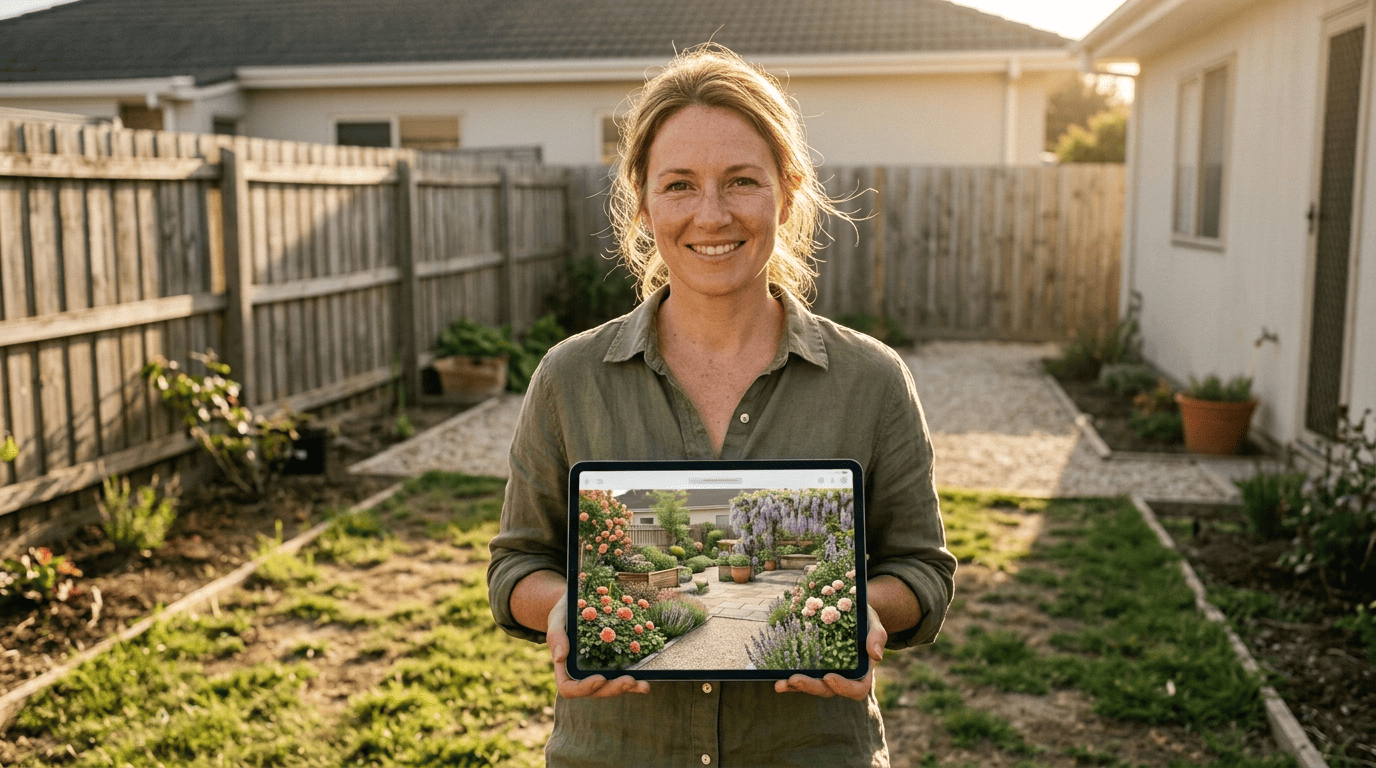
AI shows you several directions at once, so you gain confidence in a plan before anyone starts digging. But every render is a concept, not an engineering drawing — the final call on plants and materials still belongs to your climate zone and your local garden center. This guide walks through how the technology works, how to get better results from it, and where a human still needs to check its homework.
What AI Backyard Design Actually Is (and How It Works)
At its core, this is a photo-in, design-out process, and understanding the mechanics makes it easier to get a result you can actually use.
From a single photo to a finished concept
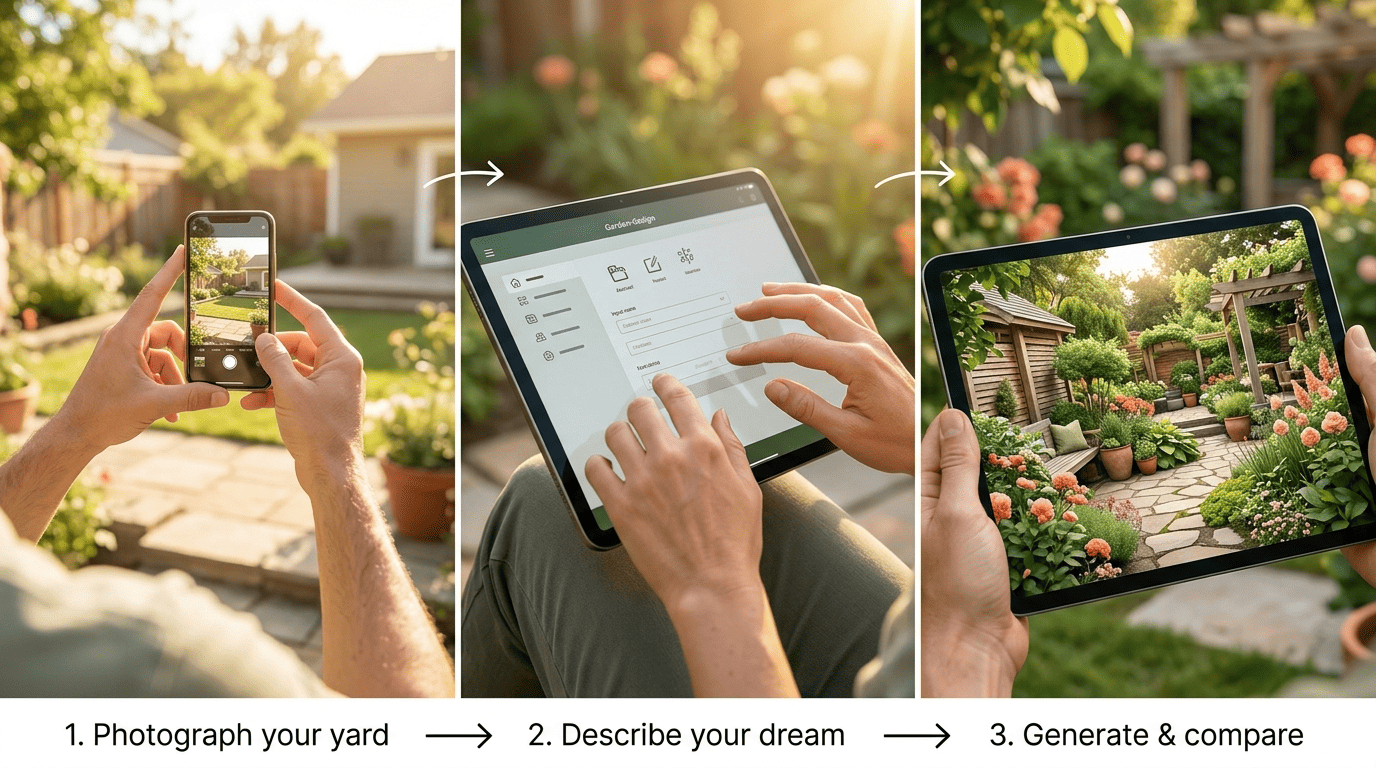
AI backyard design takes one photo and repaints the space around it. Image-to-image models trained on a large library of professional landscape photography learn to recognize property lines, fences, sheds, decks, existing plantings, and paving types in your photo, then generate a new layout on top of that structure. A finished, photorealistic version usually appears in 10 to 90 seconds. It’s a visual planning layer — a fast way to see options — not a survey or a measured drawing.
Why homeowners reach for it first
A large share of homeowners taking on an outdoor project are doing it for the first time, and it’s hard to picture a finished space when you’re staring at an empty lawn. That’s exactly the gap AI backyard design is built to close. Instead of hiring a designer before you even know what you want, you can generate five or ten different directions, compare them side by side, and walk into that first consultation already knowing your style.
How to Design Your Backyard with AI, Step by Step
Getting a usable design out of AI comes down to three things: a clear photo, a specific description, and a willingness to regenerate until something clicks.
- Photograph your backyard in natural daylight, ideally between 10 a.m. and 4 p.m. — the quality of that photo drives the quality of everything the AI produces. While you’re out there, note the yard’s overall size and shape and track where sun and shade fall through the day; both decide which plants will thrive and where a patio actually belongs.
- Spell out the goal in plain language: a seating area around a fire pit, raised vegetable beds, a play space for the kids. Include as much of this context as you can — it directly sharpens the output:
— Location and climate or USDA zone- Yard size and sun exposure- Preferred style, colors, and materials- How much maintenance you’re willing to take on
A prompt like «add a stone path, raised beds, and colorful low-maintenance borders» gives the model something concrete to work with.
- Generate several directions, then compare and refine. Regenerate with follow-up notes — «more shade,» «native plants,» «wider patio» — and compare how each version handles massing, color flow, and layout before narrowing things down to one or two favorites.
Choosing a Design Style for Your Yard
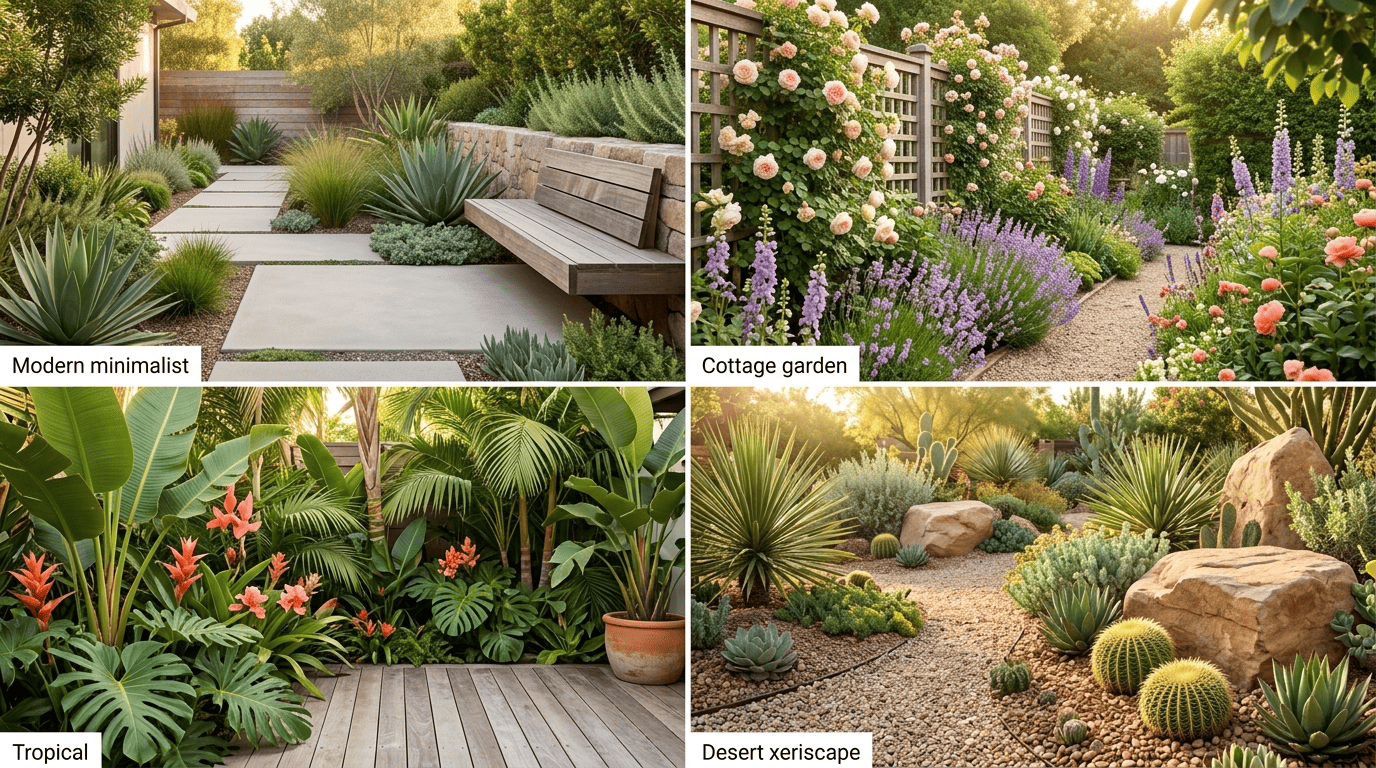
Style is usually the first decision, and most AI garden planners offer a menu of them ranging from restrained to lush.
- Modern minimalist favors clean lines, poured concrete or large-format pavers, and a tight, structural plant palette — good for small yards that need to look organized rather than lush.
- Cottage garden leans into overflowing borders, climbing roses, and a slightly wild layering of perennials — suited to homeowners who want charm over order.
- Tropical paradise stacks broad-leafed foliage and bold color for a lush, vacation-style feel, best in warm, humid zones.
- Japanese zen relies on gravel, stone, and restrained planting for a calm space that asks for little maintenance once it’s in.
- Mediterranean pairs terracotta, gravel paths, and drought-tolerant herbs and shrubs for a sun-loving, low-water look.
- Farmhouse rustic mixes reclaimed wood, wildflower-style planting, and simple hardscape for an unfussy, lived-in feel.
- Desert xeriscape swaps lawn for gravel, succulents, and native drought-tolerant species — the style built specifically around saving water.
| Style | Best for |
|---|---|
| Modern minimalist | Small yards, low-fuss upkeep |
| Cottage garden | Homeowners who want abundance and color |
| Tropical paradise | Warm, humid climates |
| Japanese zen | Calm spaces, minimal maintenance |
| Mediterranean | Sunny, dry climates |
| Farmhouse rustic | Casual, lived-in look |
| Desert xeriscape | Water-limited regions |
Water-smart and low-maintenance choices
Xeriscaping — landscaping built around drought-tolerant and often native plants — can cut irrigation needs by roughly 50 to 75 percent compared with a conventional lawn-and-border yard, while also trimming the time you spend on upkeep. If flowers are the part you actually want to get right, a deeper look at AI flower bed design can help you plan borders and beds in more color-and-bloom-schedule detail than a whole-yard render usually offers.
Picking Plants for Your Climate and USDA Zone
A design only works long-term if the plants in it actually survive where you live, and that’s where zone matters more than style.
Match plants to your growing conditions
A plant only survives where its zone allows it to. Before you commit to anything an AI tool suggests, check it against the official USDA Plant Hardiness Zone Map, which is what actually determines what will make it through winter where you are. AI garden planners — Microsoft Copilot among them — can match plant suggestions to your climate and zone once you tell them where you’re located, but you’re the one who has to supply that zone correctly in the first place.
Read the planting plan, not just the picture
The better tools hand you a planting plan and shopping list alongside the render — botanical names, light requirements, and spacing between plants. Check each one’s mature size, drainage needs, and sun exposure yourself; a beautiful rendering doesn’t guarantee the underlying horticulture holds up.
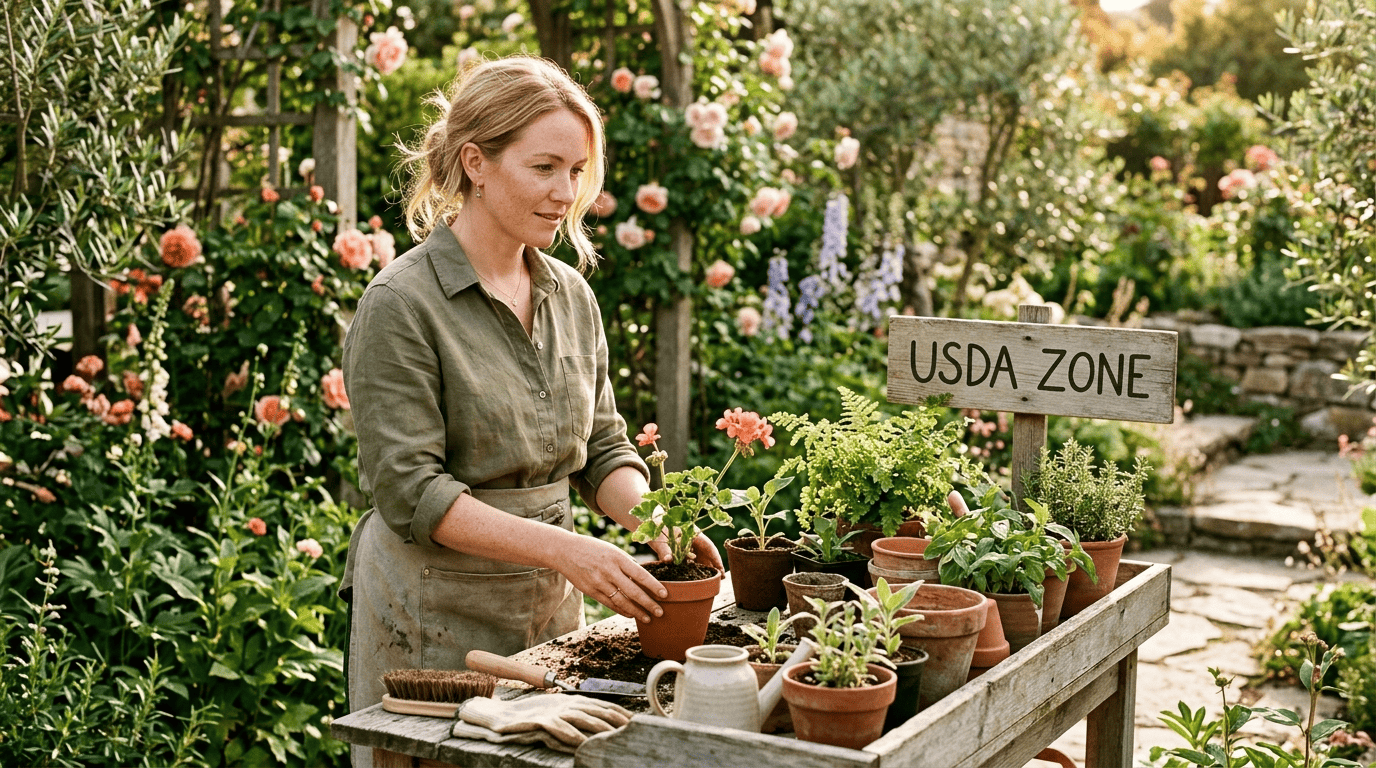
Every yard’s climate and soil are a little different, so treat any AI plant list as a starting point rather than a guarantee. Confirm your exact USDA zone, double-check soil and drainage, and ask your local garden center or cooperative extension office about specific cultivars before you buy — nobody can promise a particular plant will thrive in your backyard sight unseen, but they can get you very close.
How Accurate Is AI Backyard Design?
AI is genuinely useful for some decisions and genuinely unreliable for others, and knowing which is which saves both money and disappointment.
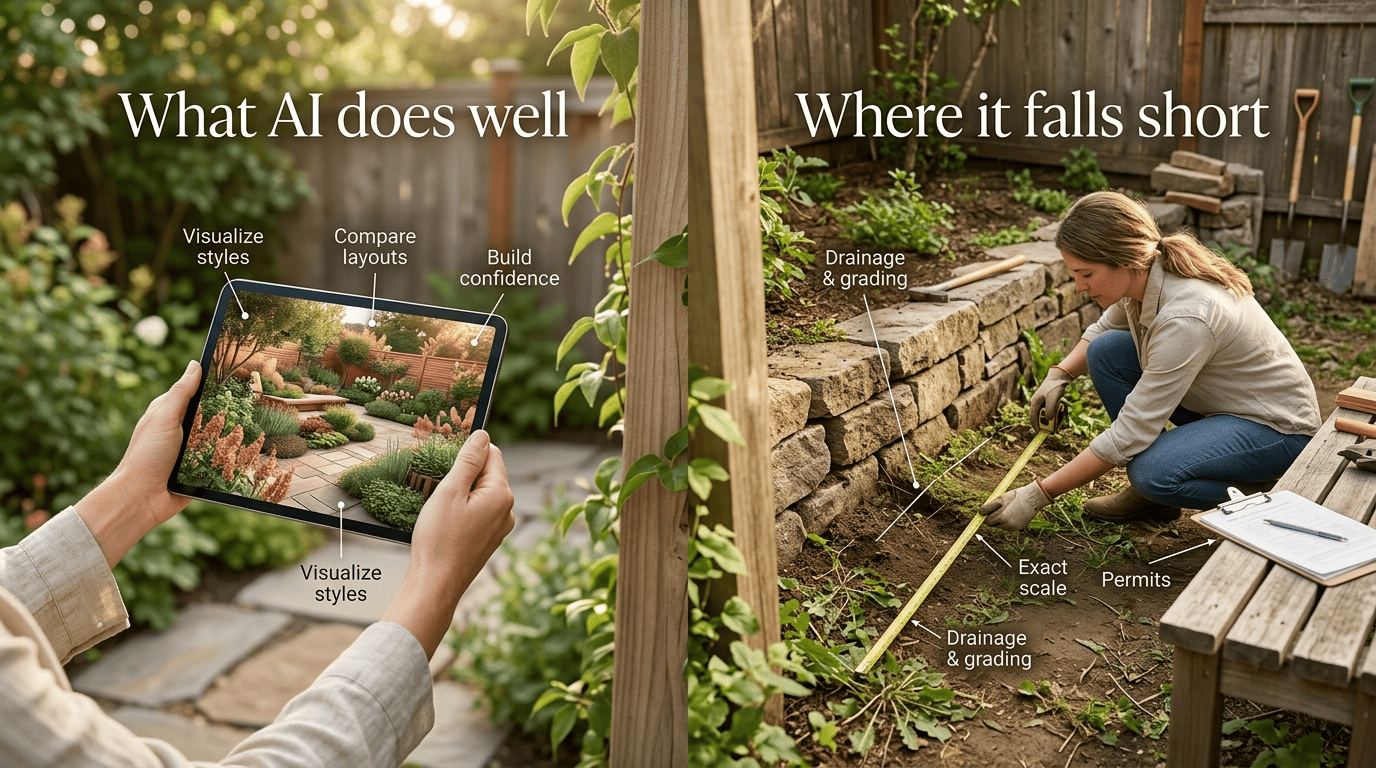
What AI gets right — and what it doesn’t
AI is strong where the decision is visual: comparing layouts, narrowing down a style, and building confidence before you call anyone. It’s noticeably weaker at:
- Drainage and grading on sloped yards
- Structural engineering and permits
- Exact scale and real-world measurements
- Realistic budget estimates
A render will happily place a pool and a hot tub into a yard that can’t physically fit either, because it’s painting a picture rather than running a CAD calculation. Budget estimates can drift for the same reason — a rendered material or feature rarely maps cleanly to a real contractor quote — and homeowners on landscaping forums regularly report renders that look convincing but turn out to be off scale once someone takes a tape measure to the actual yard.
A word from the experts
Even reviewers who like these tools are careful to frame them as a starting point rather than a finished plan.
Though neither the native plant nor the vegetable bed diagrams supplied by Copilot were strictly to scale, they would be a helpful starting point.
Penn State Extension
That’s a fair summary of the whole category: useful for direction, not a substitute for a tape measure or a soil test.
What It Costs: Free Tools, Paid Plans, and Pros
Costs range enormously depending on how far you want to take it, from free AI tools all the way to a fully installed professional yard.
Free and low-cost AI options
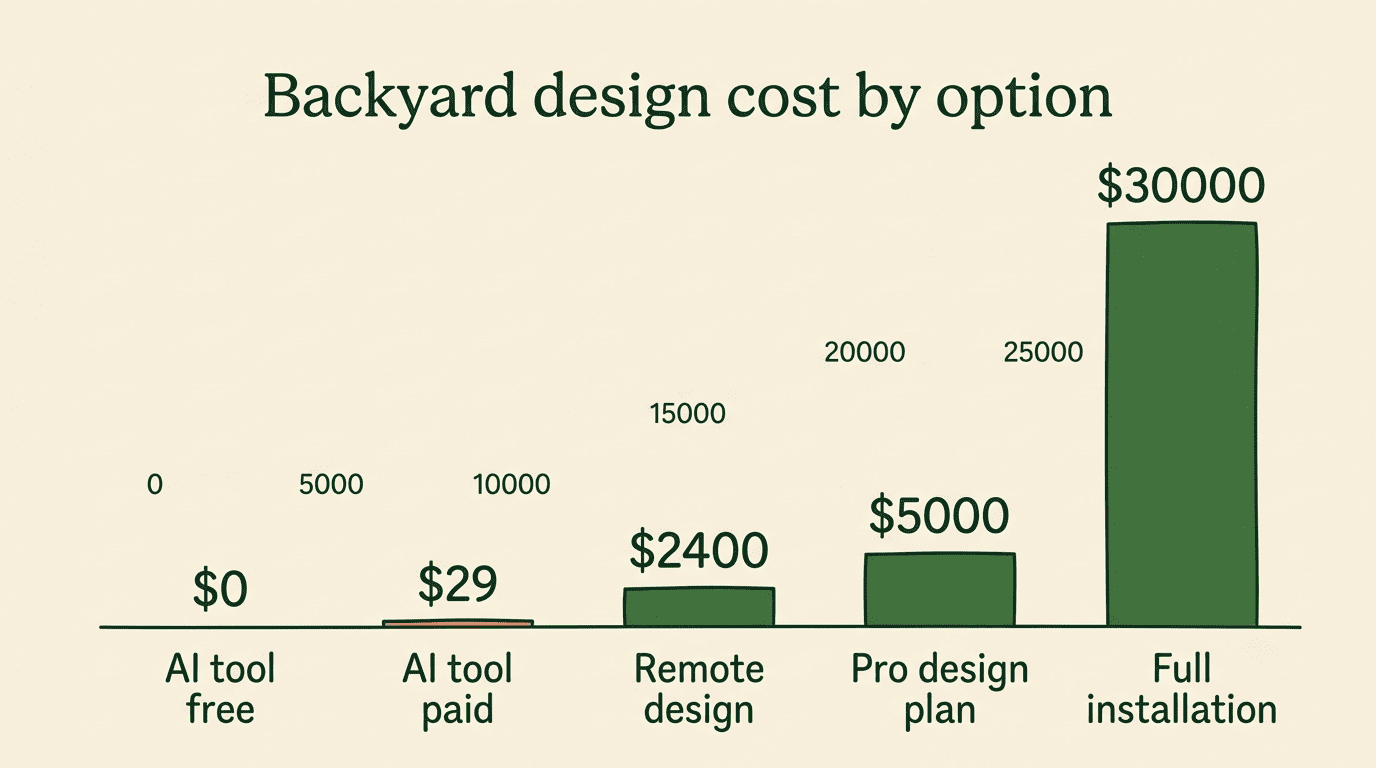
Most AI backyard design tools offer some kind of free tier — a handful of designs to try the concept — before asking for payment. Paid plans typically land in the range of a few dollars per design up to roughly $9 to $29 a month for unlimited or high-volume generation, depending on the tool. Remote design services that pair a human designer with an AI-assisted concept generally start higher, often in the low hundreds of dollars and up.
| Option | Typical cost |
|---|---|
| AI tool, free tier | $0 |
| AI tool, paid plan | $9–$29/month or a few dollars per design |
| Remote design service | roughly $375–$2,400 |
| Professional design plan | $1,000–$5,000 |
| Full professional installation | $5,000–$30,000+ |
When to bring in a professional
A professional design plan typically runs $1,000 to $5,000 before a single plant goes in the ground, and full installation — grading, hardscape, irrigation, planting — can run anywhere from $5,000 to $30,000 or more. That’s where a professional earns their fee: drainage, retaining walls, slope, and permits are exactly the areas where AI tools fall short. The most cost-effective approach for most homeowners is to use an AI garden planner to settle on a direction first, then bring in a professional only for the parts that actually need an expert — which keeps design fees down without gambling on the engineering.
From AI Concept to a Backyard You Can Build
Turning a render into something buildable means moving from picture to measurements. Take the concept back out to the yard and check it against your own dimensions, not the proportions in the image. Confirm every plant’s hardiness zone and mature size, check drainage and the location of any buried utilities, and make sure hardscape elements — a patio, a retaining wall, a fire pit — actually fit at true scale.
From there, build a shopping list: flagstone or pavers for paths, cedar decking or composite for a deck, and the specific plants from your planting plan, ordered by botanical name so you get exactly what was recommended. If you’re starting this whole process from a single photo rather than a rough idea, AI garden design from photo walks through that photo-first workflow in more detail. When something still feels uncertain — a slope, a drainage question, an unfamiliar plant — a quick check with your local extension office or garden center closes the gap between a nice picture and a plan you can actually build.