
AI Garden Design for Flower Beds & Borders
A flower bed is where a garden earns its curb appeal — and AI garden design now lets you see the finished bed before you turn a single spade of soil. Yes, AI can design a flower bed: you upload a photo, pick a style, and it returns a photorealistic layout with a plant list matched to your climate, a process Penn State Extension formally reviewed on a real garden bed.

Think of it as a fast, free-to-try starting point for ideas, color, and layout — not a replacement for a walk around your own soil.
Can AI Really Design a Flower Bed?
Short answer: yes — with a human in the loop
Yes. AI landscape tools report hundreds of thousands of users and millions of designs generated worldwide, and Penn State Extension formally reviewed several AI garden-design tools on a real 15-foot-by-5-foot native plant bed. As the Extension’s reviewer put it, «I encourage gardeners to experiment with design sites,» adding that a conversational assistant gave the «most satisfying experience» of the tools tested. AI handles the visualization and first-draft plant list; the gardener still judges soil, light, and taste.
I encourage gardeners to experiment with design sites.
Penn State Extension
What «AI flower bed design» actually means
The category covers two different kinds of tools. Photo-realistic redesign tools take a picture of your yard and a style prompt, then render a finished bed image with a suggested plant palette layered right into your own space. Conversational assistants work differently — they don’t touch your photo at all, instead producing text-based plant lists, layout concepts, and planting diagrams you sketch yourself. Both fall under the same AI garden planner umbrella, but the output looks nothing alike: one hands you a picture, the other hands you a plan.
How AI Flower Bed Design Works, Step by Step
The workflow is short enough to finish during a coffee break, and it follows the same three moves across most tools on the market.
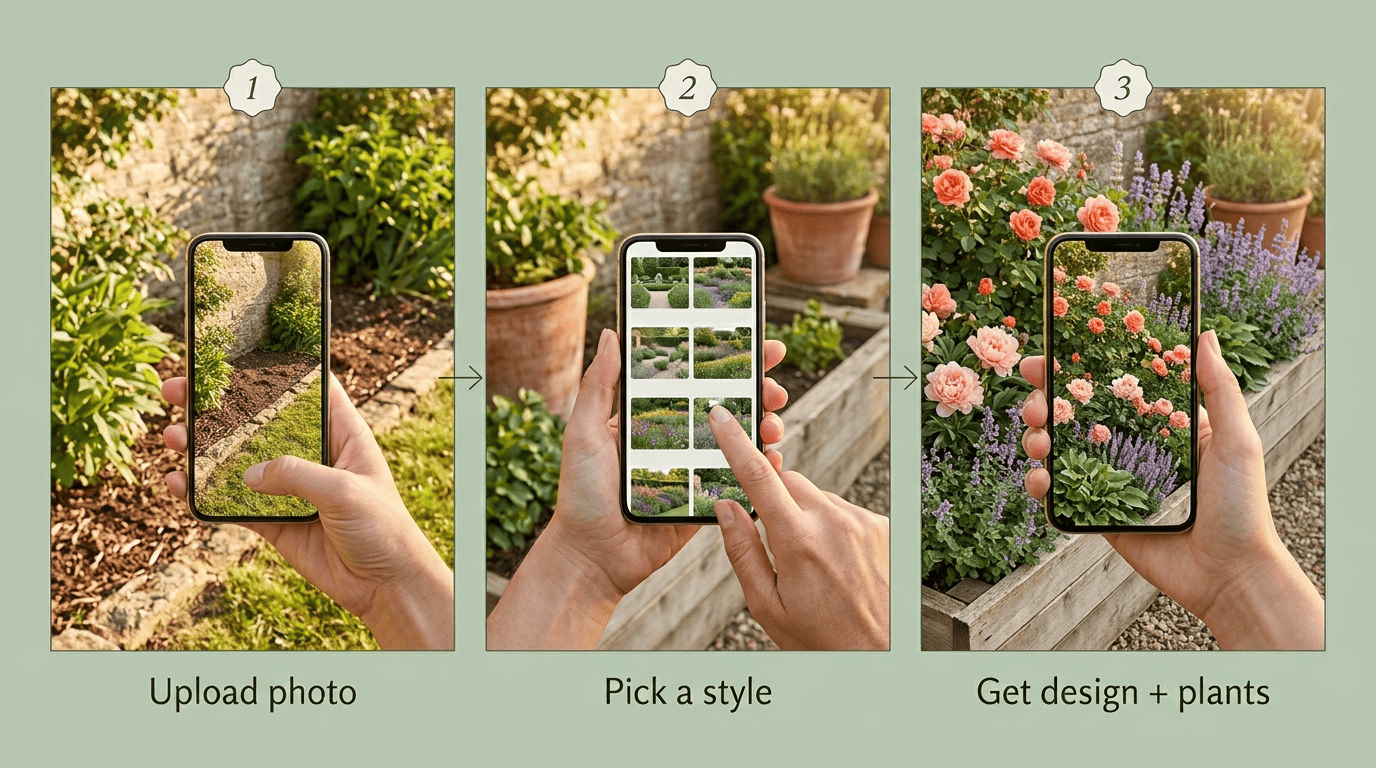
- Upload a photo of your bed or border. Most tools start from a clear photo of the spot; the AI uses it as the canvas so the preview sits in your real space, not a generic stock yard.
- Pick a style or describe your vision. Choose from dozens of preset styles — Modern, Cottage, English Garden — or type a prompt like «low-maintenance perennial border in purple and white.» For the bigger picture, an AI backyard design pass can frame how the bed fits the whole yard before you zoom into one border.
- Review the design and plant list. The tool returns photorealistic options in anywhere from about 30 seconds to a couple of minutes, often with a plant list attached. Watch for the common paywall: several tools show the finished design free but gate the actual plant list behind a paid plan.
- Compare a second or third variation. Regenerate with a different style or color prompt before committing — most tools let you run several passes at no extra cost.
- Save the preview and plant list together. Export or screenshot both, since some sites separate the image and the plant names into different screens.
Here’s how the free and paid tiers typically split, based on the tools Penn State Extension tested and their published feature pages:
| Tool type | What’s free | What’s typically paywalled |
|---|---|---|
| Photo-upload redesign tools | Photo upload, style preview, design render | Full plant list with care instructions |
| Conversational AI assistants | Full plant list, layout notes, planting diagram | Nothing — output is text, not a rendered image |
| Specialized garden planners | 2-3 trial designs | Additional designs, professional plant photo library |
Why the paywall exists
Rendering a photorealistic image and cross-referencing a plant database against your location both cost compute time, so free tiers tend to cap one or the other — usually the plant list, since the image is the marketing hook.
Flower Bed Layout Principles AI Applies (and You Should Too)
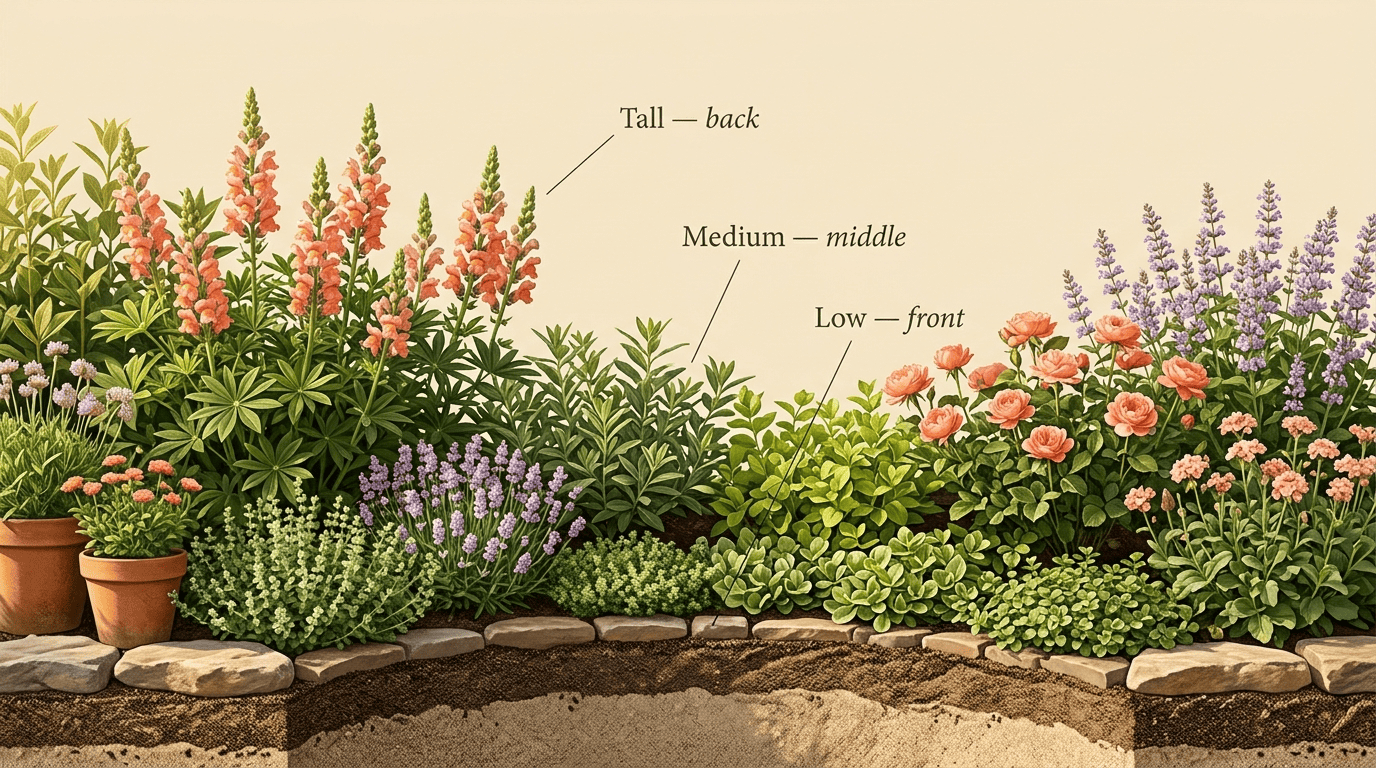
Good AI-generated layouts lean on the same rules garden designers have used for decades — understanding them helps you judge whether the AI got it right. Three principles carry most of the weight:
- Height and layering. Tall plants belong at the back of a border (or the center of an island bed), medium plants in the middle, and low growers at the front and edges. Plant in gentle curves rather than straight rows for a more natural, less linear look.
- Spacing that fills in without crowding. Rule of thumb: space plants at about half their mature spread — a plant that reaches 12 inches wide sits roughly 6 inches from its neighbors. Always check the plant tag for mature height and spread rather than trusting the pot size you see at checkout.
- Color that holds together. Stick to no more than three main colors and vary the shades within each one. Hot colors — red, orange, yellow — draw the eye toward focal points, while cool colors — blue, pink, purple — calm and recede into the background.
A good AI plant palette should respect this three-color rule; sanity-check the one it hands you before you buy anything.
Choosing Plants That Will Actually Thrive
Match plants to your USDA hardiness zone
The single biggest reason a beautiful AI design fails in the real world is the wrong plant for the climate. Ground every recommendation in the USDA Plant Hardiness Zone Map, maintained by the U.S. Department of Agriculture, and confirm the AI’s picks against your zone before you commit a design to paper. For deeper guidance on matching species to a design, see AI garden design plants.
Perennials vs. annuals for a low-maintenance bed
Perennials return on their own each year and suit a low-maintenance bed you don’t want to replant every spring. Annuals complete their life cycle in one season but deliver a bolder, more saturated burst of color while they last. Many AI tools default to perennial-heavy suggestions whenever a prompt mentions «low-maintenance,» since that word signals fewer repeat purchases and less digging.
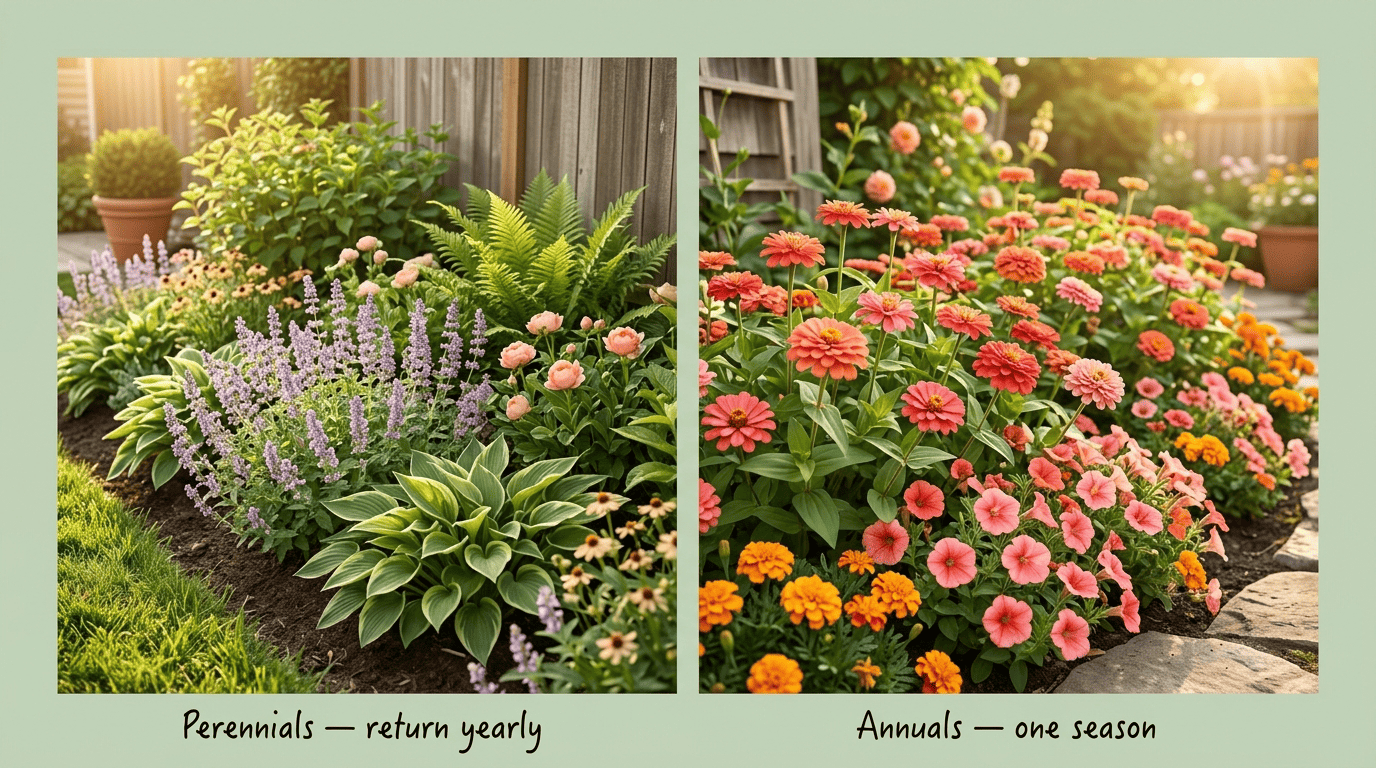
The table below sums up the trade-off:
| Perennials | Annuals | |
|---|---|---|
| Lifespan | Multiple years | One growing season |
| Maintenance | Lower — no replanting | Higher — replant yearly |
| Bloom intensity | Moderate, seasonal | Bold, continuous through season |
| Best for | Low-maintenance foundation beds | Instant color, borders, containers |
From AI Mockup to a Real, Plantable Bed
Turn the render into a shopping list
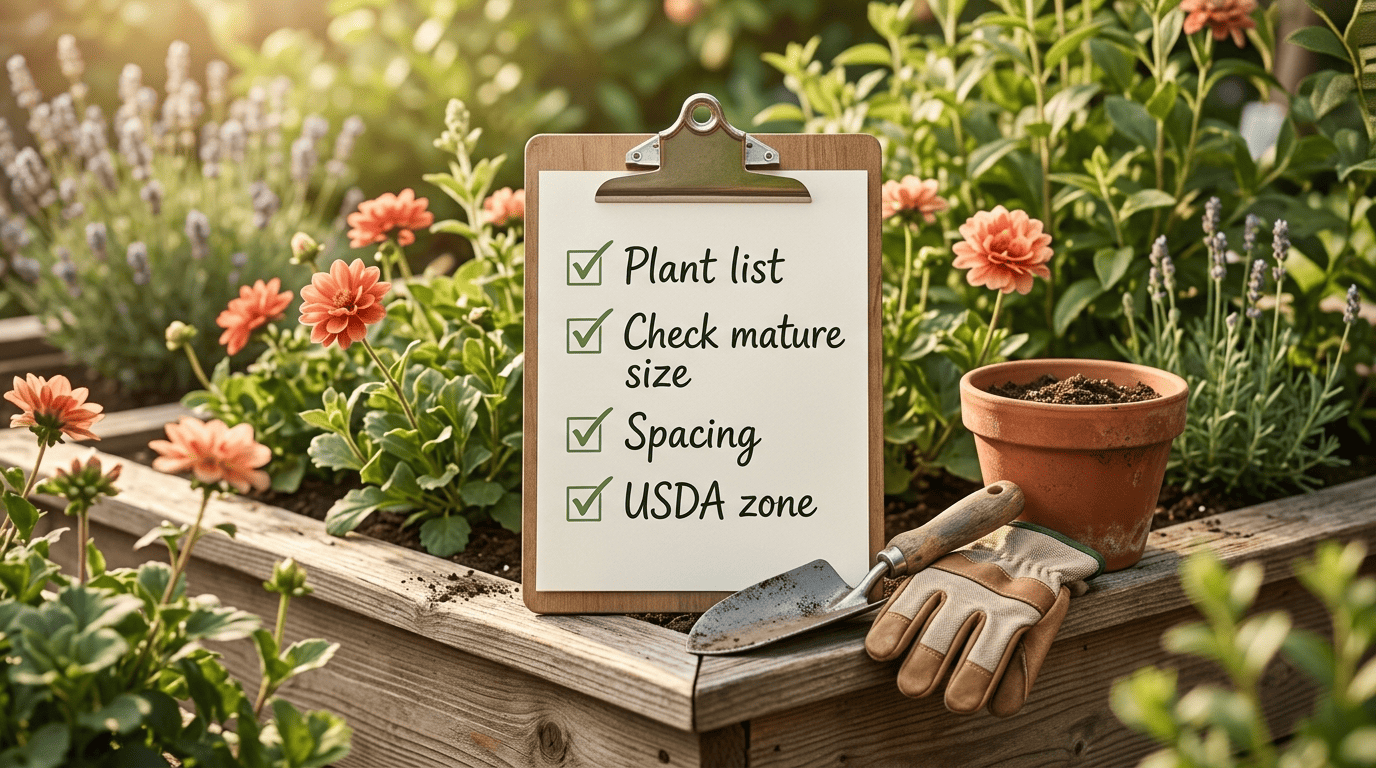
Before you head to the garden center, run through a short checklist so the render translates cleanly into real plants:
- Translate the AI’s plant palette into an actual purchase list, name by name.
- Confirm each plant’s mature size and sun needs against the tag, not the render.
- Adjust quantities using the half-mature-spread spacing rule.
- Treat the AI design as a blueprint a landscaper — or you — can work from.
Matching plants to the render before you shop cuts down on costly return trips and wasted seedlings.
Verify on the ground
AI previews are a starting point, not a soil test. Before you buy a single plant, confirm availability and suitability with your local garden center, cross-check the AI’s plant picks against your USDA hardiness zone, and walk the actual bed to check drainage, sun exposure, and soil type — none of which a photo can fully capture.
Limitations of AI Garden Design
AI diagrams frequently lack precise scaling, so a bed that looks proportionate on screen can come out crowded or sparse once it’s staked out with a tape measure. Some suggestions reflect general garden lore rather than current horticultural research, meaning a plant pairing might look good in a render without actually suiting your soil or light. And as covered above, plant lists are often paywalled even when the design preview is free. Use any AI garden design tool for inspiration and layout, then verify the specifics — zone, sun, soil, and mature size — before you dig. For general background on how flower beds and borders are traditionally planned, Wikipedia’s overview of garden design is a useful primer alongside any AI tool.